
sikobaPay User Documentation

sikobaPay User Documentation

  • Mobile App Docs
  • Web App Docs

›Authentication

Getting Started

  • Welcome
  • Vocabulary

Authentication

  • Sign up
  • Phone number verification
  • Change password
  • Sign in
  • Register a new device
  • De-register device
  • Read-only mode

Main Screens

  • Balance screen
  • Menu screen

Connections

  • Connections screen
  • Add new connection

Credit Lines

  • Credit lines screen
  • Add new credit line

Conversion Permits

  • Set up conversion profile
  • Grant a conversion permit
  • Revoke a conversion permit

Payments

  • Make payment
  • Request payment
  • IOU settlement
  • Full IOU settlement
  • Partial IOU settlement

Settings

  • Settings screen
  • Change user preferences
  • Change phone number
  • Edit profile

QR Codes

  • QR codes
  • Find connection
  • Find credit line
  • Find IOU
  • Find user

Sikoba Tokens

  • Sikoba Tokens
Edit

De-register device

If you have more than one registered device, you can cancel the registration of any of your devices. For that:

  • on any of your registered devices, for which you would like to cancel the registration, go to the settings screen

  • tap on the De-register device button at the bottom of the screen
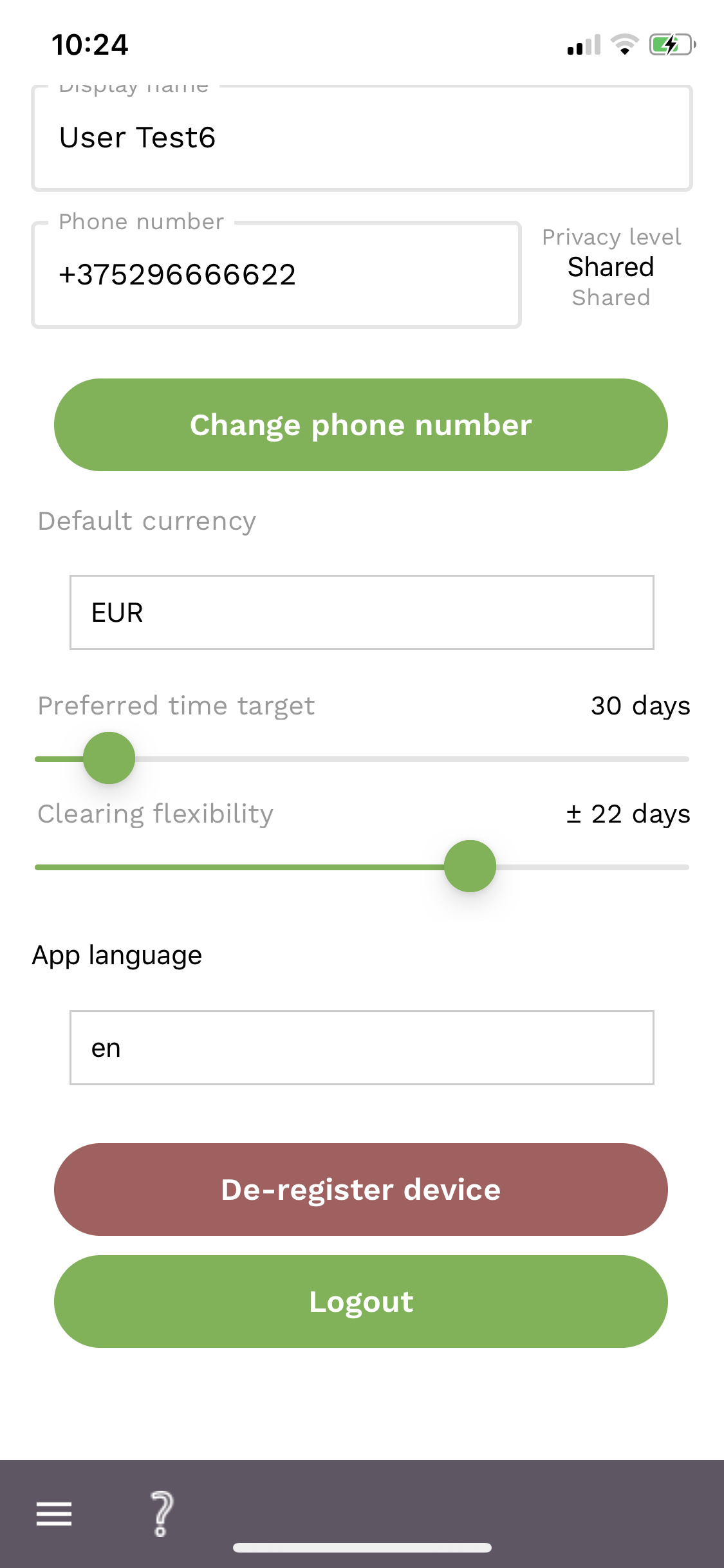
de-register device screen

  • read the notification and press Confirm
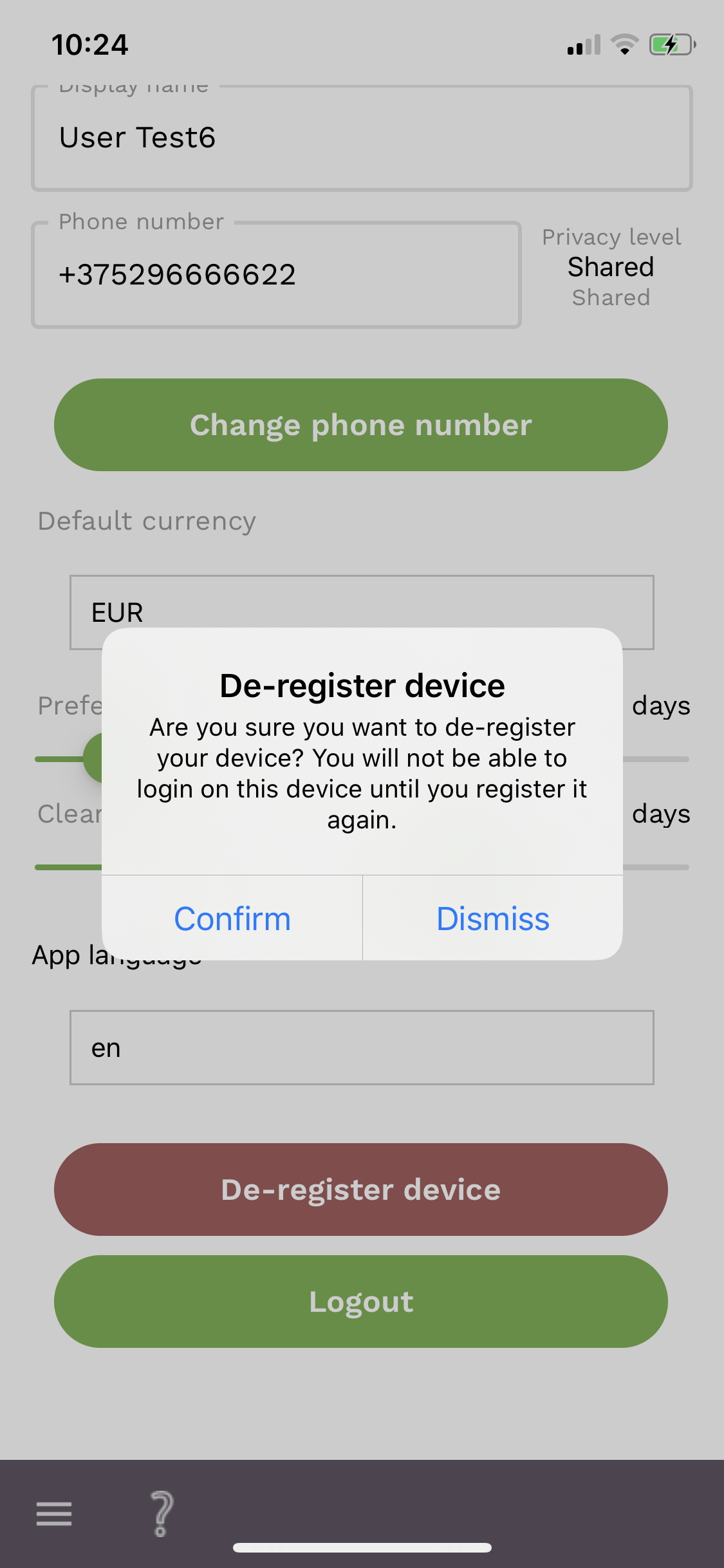
de-register device screen

← Register a new deviceRead-only mode →
Copyright © 2021 Sikoba Ltd